

Your music, on your phone
What Is Mornye?
Mornye is a free, open-source music player for Android, made by the Mornye Team for people who keep their own music. Instead of renting access to a catalogue, you bring the files: albums you ripped, recordings you bought, live tapes a friend shared. The Mornye app scans that library, organises it into albums, artists and sections you control, and plays it back at the quality the files deserve.
The project has gathered 7,059 stars on GitHub from listeners who follow its development, which gives you a fair sense of the audience: collectors, commuters with carefully tagged folders, and anyone who prefers owning music to borrowing it. This site is the download home for the Mornye APK, with the verified file, an honest review and guides written from real listening on real phones.
There is no account to create and nothing to subscribe to. Install it, point it at your music, and press play. That restraint is the whole design philosophy, and it runs through every screen described below.
Inside the player
Mornye Features
Every feature below is in the current build and was checked during our own listening sessions, with a library of lossless albums, everyday downloads and a few recordings of frankly mysterious origin.
High-resolution playback
Mornye plays lossless and high-resolution files from your own library without downsampling the music you took care to collect. If the file is detailed, the playback is too.
A library that stays organised
Albums, artists and personal sections keep a big collection easy to browse. Your shelves look the way you arranged them, not the way an algorithm feels like arranging them.
Built-in equalizer
A proper equalizer sits inside the player, so gentle corrections for your headphones or your car speakers live with the music instead of in a separate app.
Synced lyrics
Lyrics scroll in time with the song for files that carry them, turning a commute into a quiet singalong and making new languages easier to learn by ear.
Listening statistics
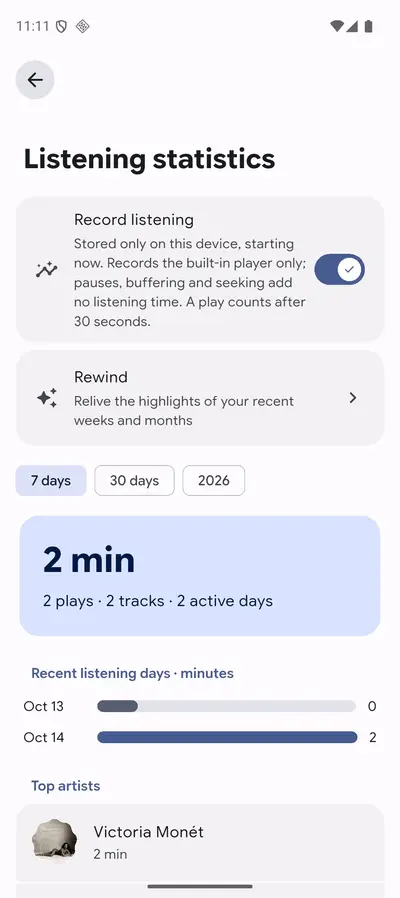
Mornye keeps a friendly tally of your listening: favourite artists, heavy rotation albums and a recap of your period in sound, all computed on your phone.
Extensions support
Optional extensions add extra abilities for listeners who want them, while the core player stays lean for everyone else.
Appearance that feels like yours
Light and dark themes with accent colours drawn from a warm palette, so the player can look calm at breakfast and moody at midnight.
Nothing between you and the music
No ads, no subscription prompts, no account wall. The Mornye app opens on your library and stays there, which is exactly where a player should live.
Plenty of players do one of these things well. Mornye earns its place by doing the unglamorous whole list at once, calmly, around files you already own.
From the app itself
Mornye Screenshots
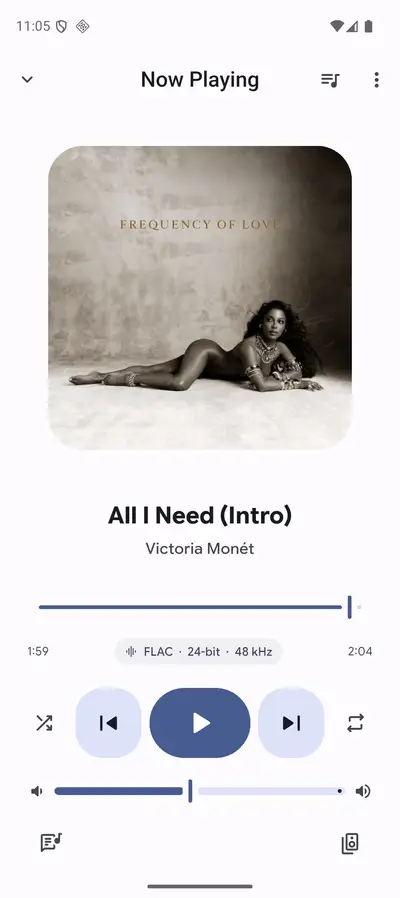
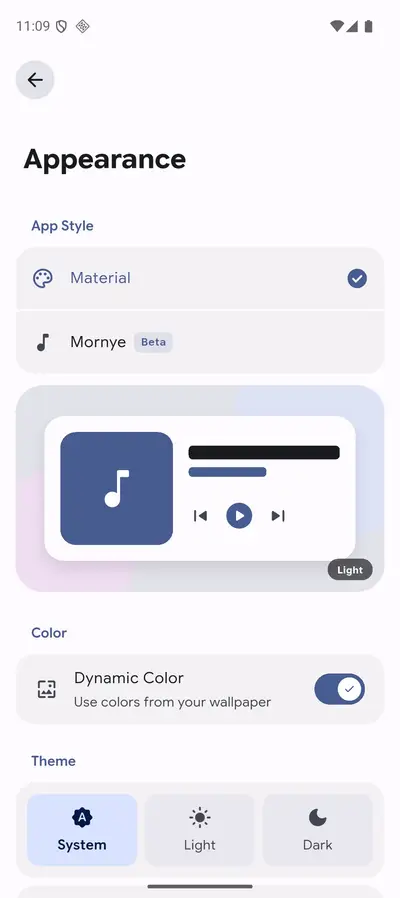
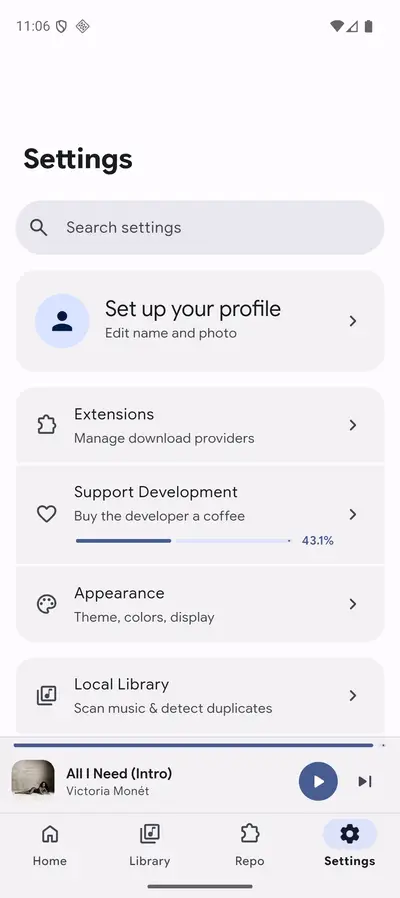
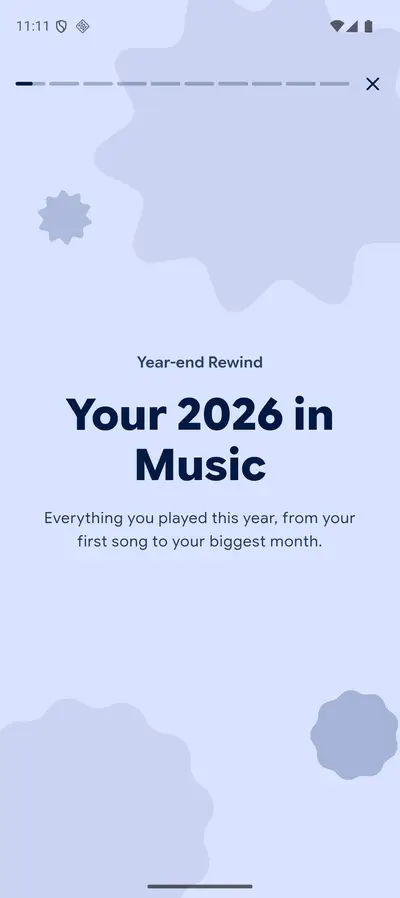
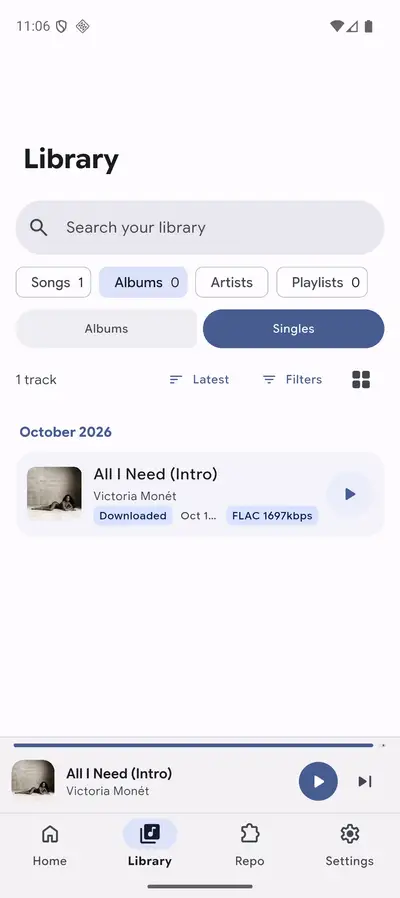
Every frame below is a real screenshot of the Mornye app running with a real library: the Now Playing screen with its lyrics line and hi-res badge, appearance settings with accent colours, the plain settings list, the listening recap, statistics, and the library sections view. No renders and no mock-ups.
The current build
What Feels New in Mornye
Recent builds have polished the parts of listening you touch every day. The listening recap has grown into a proper ritual: at the end of a period, Mornye introduces your own statistics with warm artwork and plain language, so reviewing your year in sound feels like opening a letter rather than reading a report.
Appearance options have deepened too, with the light theme and accent colours shown in the screenshots above, and the library sections view keeps getting better at handling big collections gracefully. Underneath, the player is built with Flutter and Rust, a pairing that shows up as quick scanning and playback that starts without a pause for thought.
Start listening in minutes
How to Install Mornye on Android
The install follows the familiar pattern for a direct APK download, with two details worth doing slowly.
- Fetch the file. Use the download button on this page and let the full 80.7 MB arrive; a partial file is the one cause of most failed installs.
- Allow the install. When Android asks, permit installs from your browser just for this file, then open the download and confirm.
- Open Mornye and grant library access. The player needs permission to read your music folders; without it, it quite literally cannot see your songs.
- Let the first scan finish. A large library takes a few minutes to index the first time. Keep the app open, and your albums, artists and sections will settle into place.
From there, the beginner guide on this site walks through your first week of listening, one small habit at a time.
Hi-fi, honestly
Sound Quality and Hi-Res Playback
Mornye treats your files with respect: lossless recordings play losslessly, and high-resolution tracks keep their detail instead of being quietly trimmed to a house standard. The difference is easiest to hear on recordings you know well, in the tail of a piano note or the air around a voice.
The built-in equalizer is there for gentle correction, not rescue surgery. A small lift where your headphones run shy, a small cut where a room gets boomy, and then leave it alone. Our equalizer guide suggests starting points for common headphones and listening spots, all of them deliberately mild.
Shelves that stay tidy
Your Library, Organised Your Way
The library view is the heart of the Mornye music player. Albums and artists are the backbone, and personal sections let you shelve music the way you think about it: a shelf for Sunday cooking, one for the drive home, one for the records you are still getting to know.
Listening statistics grow quietly alongside. Mornye notices your heavy rotation, your most returned-to artist and the shape of your listening week, then presents it back in the recap and statistics screens. It is the pleasure of a well-kept record shelf, applied to files.
Checked before it lands here
Safety and Verification
The file offered on this site is checked before it is listed: package name confirmed as com.zarz.mornye, file size matched at 80,670,445 bytes, permissions reviewed, and the build installed and listened to on our test phones. If a build fails any check, it does not go up.
Mornye itself is open source under the MIT license, which means its code can be read by anyone, and its pitch is refreshingly plain: no ads, no subscription and no tracking talk. It asks for access to your music so it can play your music, and that is the beginning and end of the arrangement.
Under the sleeve
Technical Details
Mornye is built with Flutter for its interface and Rust for the heavy lifting, a combination that keeps scanning fast and playback steady. The build we serve is the arm64 edition, the right one for modern phones, and it runs on Android 7.0 and up, which covers a long shelf of devices.
The app works fully offline once your library is scanned, because your files were never anywhere else. Extensions are optional and install separately, so the core player stays as light as your listening needs it to be.
Earlier pressings
Old Versions
We serve the current build, and for most listeners that is the right choice: it carries the latest fixes for scanning, lyrics and playback. Earlier builds occasionally suit an older phone that struggles with a newer release, and if that is your situation, write to us and we will help you work out which build your device will be happiest with.
Whichever build you run, your library itself is untouched by installs and updates. Your files live in your folders, exactly where you left them.
Other ways to listen
Mornye Alternatives
Honest context helps a decision. The player that shipped with your phone will play files, but usually without hi-res care, synced lyrics or real library sections. Subscription streaming apps offer enormous catalogues, at the price of a monthly fee, an account, and a library that can change without asking you.
Mornye sits in the third chair: your files, treated properly, for free. If your music already lives on your phone or a drive at home, that chair is usually the comfortable one.
When a track will not play
Troubleshooting
Most Mornye problems have plain causes. If the library looks empty, check that the app still holds permission to read your music folders, then run a fresh scan. If one album looks wrong, its file tags are usually the culprit; tidy the artist and album fields in the files themselves and rescan.
If playback stutters on very large hi-res files, close heavy apps running alongside and give the player a moment after a fresh scan finishes indexing. Lyrics that refuse to sync almost always belong to a file without timed lyrics embedded or alongside it. Our problems and fixes guide works through the full list in order.
Staying current
How to Update Mornye
Updating is a small ritual. Download the new file from this site, open it, and install it over your existing copy. Your library sections, settings and statistics carry across, because they describe your music, not the app package.
Give the player a short rescan afterwards so new fixes apply cleanly to your shelves, then settle back in. The whole thing takes less time than choosing what to play next usually does.